

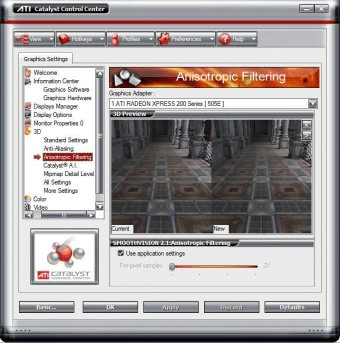
The ATI Catalyst Control Center is a 3D acceleration control application that enables you to control the functionality of your graphics card. ATI Catalyst Control Center can be used to fine-tune your graphic settings, enable or disable connected display devices, and change the orientation of your desktop, etc. Many features present you with a preview of your changes before they are applied.
Advanced settings like anti-aliasing, anisotrpic filtering, mipmap detail level, catalyst AI ( Artificial Intelligance ) can be modified. We can also adjust the graphics memory which, generally was available only though the system BIOS.
The ATI Catalyst Control Center generally comes with graphics driver for ATi graphics card and south bridge driver for ATi chipset (if you have an ATi chipset on your motherboard). ATi Crossfire is a hardware interface which allows you to have two graphics card running simultaneously on a single motherboard and setting this up is really easy with this tool. Overclocking capabilities are generally restricted to some graphics card only.
The main advantages of ATi drivers and Tools are their universal compatibility with any ATi graphics card or motherboard. So, the single software you download for your use can be is only necessary to run any other ATi graphics card ( inbuilt or external, PCI or AGP, whatever ).
The settings can be applied very fast without restarting windows. We can change and apply the settings even in the middle of a 3D Game.





Comments (9)
We are sorry but the program in unavailable for downloading since it is hardware-dependent.
Very powerful accelerator,my speed has never been higher!
cool program!!!
VICTORY, FireFox!!!